Connect. Create. Thrive.
Your creativity. Your community. Your place.
Share videos, photos, and ideas. Find your community and support the creators you love.
Free to join — no subscription required. Already a member? Sign in

Everything you need to share what you make
One place for your content, your audience, and the people who share your interests.
Create and share
Express yourself through videos, photos, and posts.
Find your people
Discover creators and communities around your interests.
Connect and engage
Follow creators, like, comment on, and save the posts you love.
See Zeluvah in action
Real screens from the Zeluvah app. Sign up, follow creators and join communities, then start posting.
 Demo content
Step 1
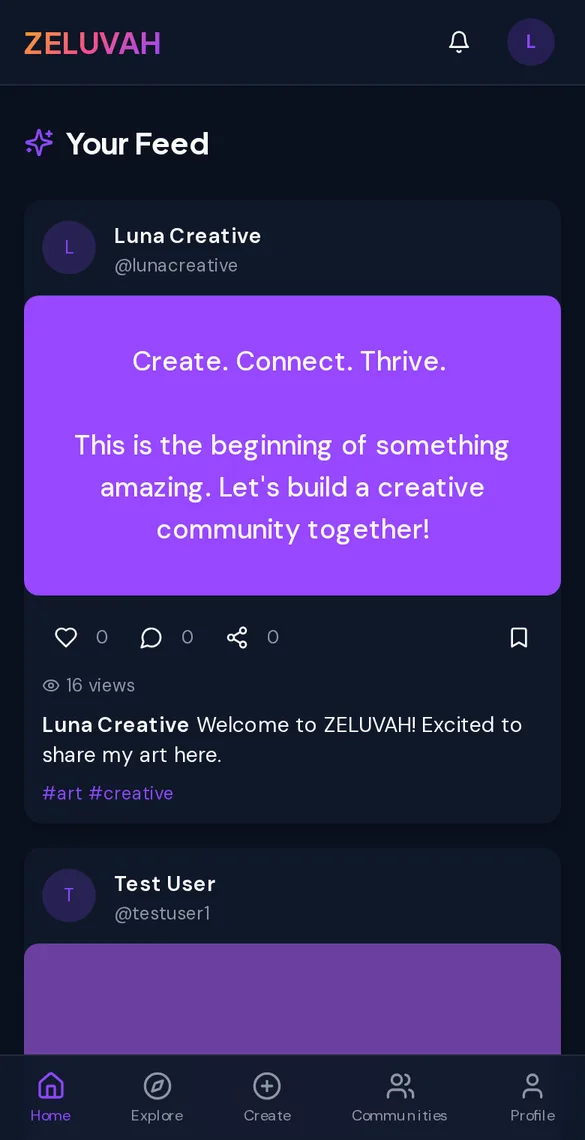
Your feed
Scroll videos, photos, and text posts from creators. Like, comment, save, and share in a tap.
 Demo content
Step 2
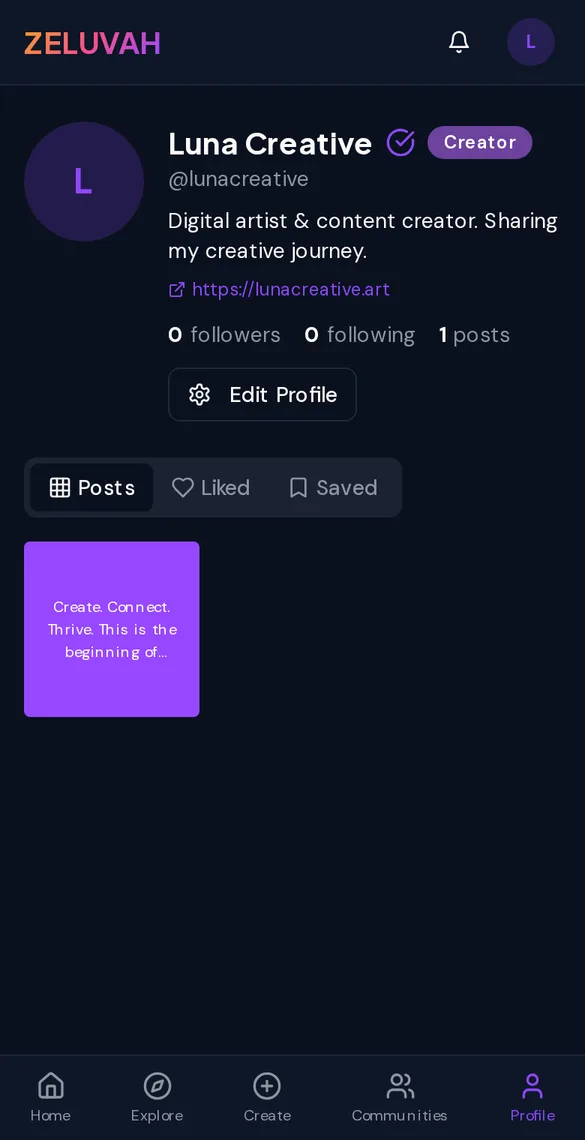
Creator profiles
Every creator gets a profile with their bio, links, followers, and a grid of their posts.
 Demo content
Step 3
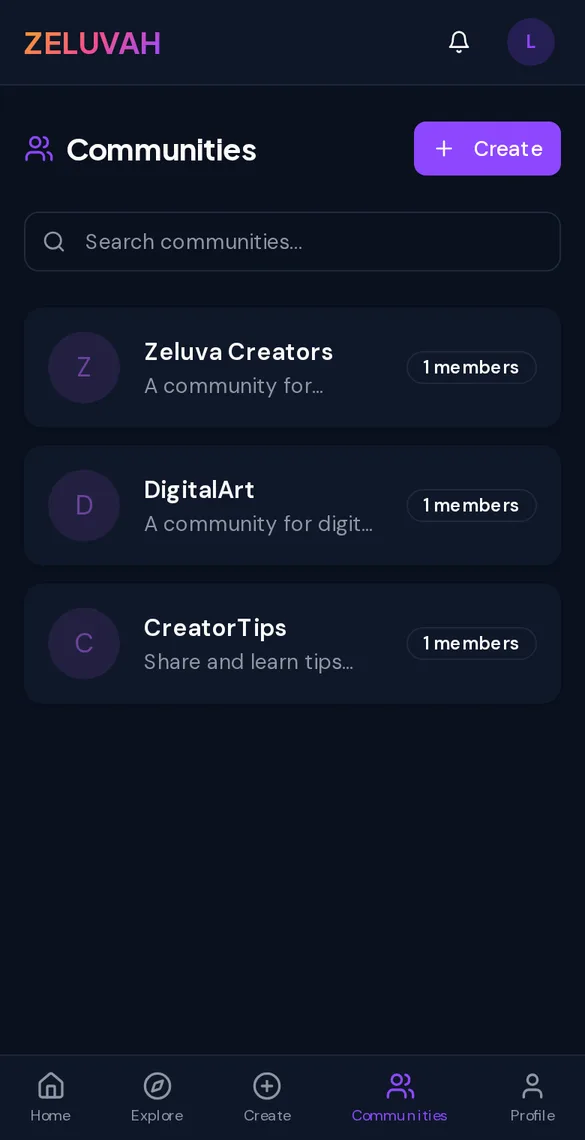
Communities
Join topic communities, start discussions, and vote on the best posts and replies.
Screenshots show posts and communities from Zeluvah's own demo account. Names and content are examples, not real members.
What it costs
Zeluvah doesn't offer paid subscriptions. Creating an account and using the app is free.
- Post videos, photos, and text
- Follow creators and build your audience
- Create and join communities
- Comment, vote, like, and save
Creator tipping is still in development and doesn't accept real payments yet. We'll explain any fees here before it launches.
Put Zeluvah on your home screen
Install the web app in a few seconds. You don't need an app store.
- 1Open zeluvah.com in Safari.
- 2Tap the Share button.
- 3Choose Add to Home Screen, then tap Add.